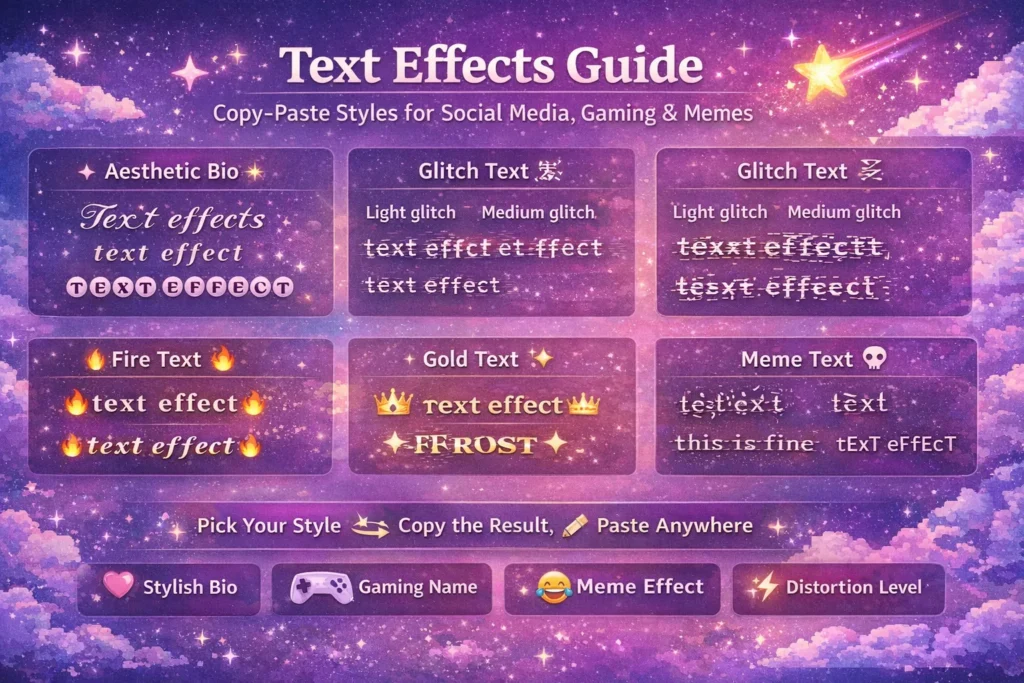
Some text just stops you mid-scroll. It looks different in Styled, glitchy, golden, or completely broken. You want to know how to do that. The answer is simpler than most people think, and you do not need any design software to pull it off.
This guide covers every major text effect style used on social media, in gaming, and across meme culture, so you can copy what you need and use it right away.
What Are Text Effects
Text effects are visual styles that make text look unique, eye-catching, or dramatic compared to plain writing. Online, most effects use Unicode characters or combining marks, letting you create elegant, glitchy, fiery, or distorted styles instantly. No design tools or apps are needed; just copy, paste, and enjoy the effect.
Aesthetic Bio Text Effects
These are the clean and stylish effects most people want for Instagram, TikTok, and Twitter bios. They look intentional and polished without going overboard.
- Cursive effect: 𝓽𝓮𝔁𝓽 𝓮𝓯𝓯𝓮𝓬𝓽 or 𝒕𝒆𝒙𝒕 𝒆𝒇𝒇𝒆𝒄𝒕
- Bold effect: 𝐭𝐞𝐱𝐭 𝐞𝐟𝐟𝐞𝐜𝐭
- Small caps effect: ᴛᴇxᴛ ᴇꜰꜰᴇᴄᴛs
- Full-width effect: text effect
- Bubble text effect: ⓣⓔⓧⓣ ⓔⓕⓕⓔⓒⓣ
These effects work by using alternate Unicode character blocks where each letter has a different visual style. They look like a font change, but they are just different characters from the same Unicode system.
Glitch Text Effect
The glitch text effect looks like a screen error or corrupted file. Lines and slashes cut through letters. The text feels digital and broken in a cool way. This is one of the most popular cool text effects in gaming and tech content.
- Light glitch: t̶e̶x̶t̶ ̶e̶f̶f̶e̶c̶t̶
- Medium glitch: t̴e̴x̴t̴ ̴e̴f̴f̴e̴c̴t̴
- Heavy glitch: t̸e̸x̸t̸ ̸e̸f̸f̸e̸c̸t̸
The glitch effect uses Unicode combining marks like strikethroughs and overlay lines placed on each letter. The more marks added, the heavier the glitch looks.
Fire Text Effect
Fire text effect is one of the most searched font effects online. Most people expect burning, animated letters. That kind of effect only exists in graphic design software or CSS for websites.
For plain text copy paste, the fire effect is created using fire and flame Unicode symbols around your text to give the same visual impression.
- 🔥ᴛᴇxᴛ ᴇꜰꜰᴇᴄᴛs🔥
- 🔥𝓽𝓮𝔁𝓽 𝓮𝓯𝓯𝓮𝓬𝓽𝓼🔥
- ⚡𝐭𝐞𝐱𝐭 𝐞𝐟𝐟𝐞𝐜𝐭𝐬⚡
Combining bold or cursive Unicode text with flame emoji creates the fire effect look without any design tool. It works in bios, usernames, and captions instantly.
Gold Text Effect
Gold text effect in plain copy-paste text is done the same way as fire. You use the bold or serif Unicode block for the text itself, then pair it with gold-colored symbols and emoji.
- 👑𝐭𝐞𝐱𝐭 𝐞𝐟𝐟𝐞𝐜𝐭𝐬👑
- ✦𝒕𝒆𝒙𝒕 𝒆𝒇𝒇𝒆𝒄𝒕𝒔✦
- ⭐𝕥𝕖𝕩𝕥 𝕖𝕗𝕗𝕖𝕔𝕥𝕤⭐
The bold and double-struck Unicode blocks give text a heavier, more premium look that pairs well with gold symbols. This is popular for gaming clan names and VIP-style social media profiles.
Gaming Name Text Effects
Gaming usernames need to stand out in player lists and lobby screens. The best gaming text effect is clean enough to stay readable but styled enough to look unique.
- Small caps gaming style: ꜰʀᴏꜱᴛ or ꜱʜᴀᴅᴏᴡ
- Glitch gaming style: f̸r̸o̸s̸t̸ or s̸h̸a̸d̸o̸w̸
- Bold gaming style: 𝐅𝐑𝐎𝐒𝐓 or 𝐒𝐇𝐀𝐃𝐎𝐖
- Combined effect (bold + symbols): ⚡𝐅𝐑𝐎𝐒𝐓⚡ or ★𝐒𝐇𝐀𝐃𝐎𝐖★
Light glitch is the most popular typing text effect for gaming because it reads fast but looks stylish. Very heavy distortion does not work well for usernames because other players need to recognize and type them.
Meme Text Effect
Memes use text effects differently than bios or gaming names. The goal is not elegance. The goal is chaos, humor, or something that looks completely wrong on purpose.
- Cursed meme effect: t̵̡͌e̸͕͒x̷̞͑ẗ̸̹
- Zalgo meme effect: ẗ̴̢̘̰̩́̑̔e̸̖̥̅̆x̷̡͌̄t̸̛̜͌
- Strikethrough joke effect: t̶h̶i̶s̶ ̶i̶s̶ ̶f̶i̶n̶e̶
- SpOnGeBoB mocking effect: tExT eFfEcT
The mocking text effect (alternating caps) is one of the most recognized meme formats online. It is not a Unicode style. It is just manually alternating upper and lower case letters or using a generator that does it automatically.
Cursed and Zalgo effects in memes are all about adding visual discomfort to a joke. The worse it looks, the funnier or more unsettling the post becomes, depending on the context.
Distortion Levels as a Text Effect
Distortion itself is a text effect category. The level of distortion changes the entire feel of the text.
- Level 1 (clean): ᴛᴇxᴛ
- Level 2 (styled): 𝓽𝓮𝔁𝓽
- Level 3 (glitch): t̴e̴x̴t̴
- Level 4 (cursed): t̵̡͌e̸͕x̷͑t̸̹
- Level 5 (extreme): ẗ̴̢̘̰̩́̑e̸̖̥̅x̷͌̄t̸̛͌
Each level uses more Unicode combining marks than the one before it. Choosing your distortion level lets you control exactly how chaotic or subtle the effect looks.
How to Add Effects to Text
You do not need a text effect maker app or design software for any of these styles. The process is simple:
- Go to a Unicode text or cursed text generator online
- Type your word or phrase
- Browse the available effect styles
- Copy the one you want
- Paste it into your bio, username, caption, or message
The whole process takes under a minute. Every style in this guide works through copy and paste with no formatting lost.
Where Each Effect Works Best
- Aesthetic bio effects work best on Instagram, TikTok, and Twitter
- Glitch effects work best in gaming usernames, Discord, and tech pages
- Fire and gold effects work best in gaming clan names and premium-style bios
- Meme effects work best in posts, comments, and captions
- Heavy distortion effects work best in cursed content, ARG, and horror posts
Matching the effect to the platform makes a big difference. A Zalgo effect in a professional bio looks out of place. A clean small caps effect in a horror meme does not hit the same way either.
Compatibility Tips
Most Unicode text effects work across all major platforms, including social media, messaging apps, and games. Heavy glitch or Zalgo styles can sometimes get clipped in username fields or display incorrectly on older devices because combining marks take extra space. Very extreme effects may also render differently depending on the platform or font used. Light and medium effects are almost always safe, but it’s a good idea to preview your text before using it in a bio, username, or post.
FAQs
1- What are text effects for copy paste?
Unicode-based styles that make text look glitchy, bold, cursive, distorted, or styled without any design software.
2- How do I add effects to text for free?
Use an online fancy text or Unicode text generator. Type your text, pick a style, and copy the result.
3- What is the glitch text effect?
A style that uses Unicode combining marks to make letters look like a screen error or corrupted file.
4-Can I use text effects in gaming usernames?
Yes. Light and medium effects work great in gaming names. Avoid very heavy distortion in usernames since it makes the name hard to read.
5- Do fire and gold text effects work in bios?
Yes. Combining bold or cursive Unicode text with fire or star emojis creates that look instantly in any bio field.
6- Why do some text effects look different on other devices?
Different fonts render Unicode blocks differently. The characters are identical but the visual appearance varies by device font.
Conclusion
Text effects let you make any text stand out, from stylish bios and gaming names to chaotic meme posts. By using Unicode characters, combining marks, and simple symbols, you can create cursive, bold, glitchy, fire, gold, or cursed styles with just copy and paste. Understanding the different effects and their best uses ensures your text always grabs attention while staying readable, giving you full creative control across social media, games, and online content.

Hi, I’m Hasnat, the creator of CursedTextGenerator. I built this tool to make text customization simple, fun, and accessible for everyone. I enjoy creating helpful online tools and regularly improve this website to give visitors a better experience with accurate and easy-to-follow content.