
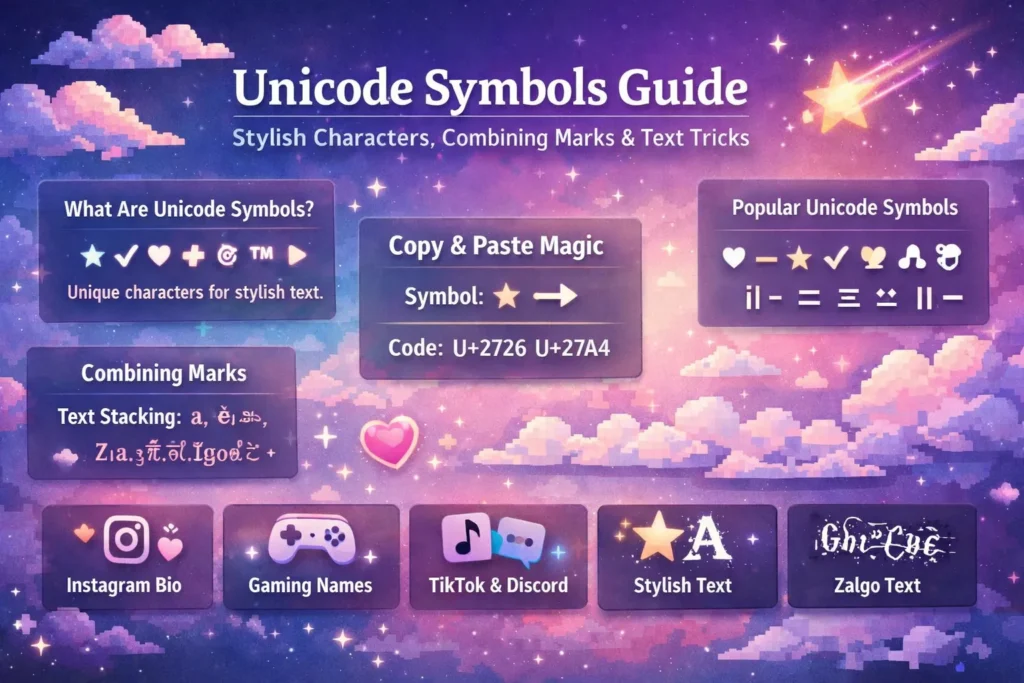
You see cool symbols in bios, usernames, and posts, and wonder how people create them. The answer is simple. Unicode symbols. They work instantly on any device with no apps or fonts needed.
In this guide, you will learn what Unicode symbols are, how they work, and how to use them for stylish text, copy and paste characters, and creative text tricks.
What Are Unicode Symbols ?
Unicode is a system that gives every character and symbol a unique code, so they display the same on all devices. It includes over 140,000 characters like letters, numbers, emojis, and special symbols.
Unicode symbols are the characters beyond basic text, such as ★ ✓ ♾ ⚡ © ™ ♠ ➤. You can use them anywhere, like bios, captions, and messages, without any special tools.
Unicode Copy and Paste: How It Actually Works
When you copy a Unicode symbol, you copy a small code that tells devices which character to display. When pasted, the app reads that code and shows the symbol using its font.
That is why it works everywhere. You are not copying an image, just a character code. The symbol may look slightly different on devices because fonts vary.
Combining Marks: The Hidden Part of Unicode
Combining marks are Unicode characters that attach to a letter and sit above, below, or through it. They do not stand alone and are used in normal text to create letters like ä, ñ, ç, or ê through standard keyboard input.
Unicode also allows stacking many combining marks on a single letter. When too many are added, the text starts to look distorted or glitchy. This is the core idea behind distorted, cursed, and Zalgo text.
Text Stacking and Distortion
Here is what text stacking looks like at different levels.
- One combining mark (normal, clean): ā or ē
- A few combining marks (slightly styled): a̲ or e̲ or s̶t̶r̶i̶k̶e̶
- Many combining marks (glitchy, distorted): ã̴̢͌ or ê̸͕͒
- Extreme stacking (full overflow, Zalgo level): ã̴̢̘̰͙̮̈́̑̔̆̚ê̸̖̥͙̅̆̓
The base letter never changes. Only the number of marks stacked on it changes. That is all text distortion is at its core. Unicode combining marks stacked beyond normal use.
Stylish Unicode Symbols by Category
Unicode has so many symbol categories that most people never explore. Here is a quick look at the most useful ones for bios, captions, and creative text.
- Stars and shapes: ★ ☆ ✦ ✧ ✩ ✪ ◆ ◇ ▲ ▼ ● ○
- Arrows: → ← ↑ ↓ ↗ ↘ ➤ ➜ ⟶ ⬆ ⬇
- Check marks and X marks: ✓ ✔ ✗ ✘ ☑ ☒
- Hearts and decorative: ♡ ♥ ❤ ❥ ✿ ❀ ☘ ♣ ♠ ♦
- Music and misc: ♩ ♪ ♫ ♬ ☎ ✉ ⚡ ☁ ☀ ❄
- Box drawing and lines: ─ │ ┌ ┐ └ ┘ ├ ┤ ┬ ┴ ┼
All of these are pure text. You can copy and paste special characters like these into any text field. They are not images. They are just characters from the Unicode library.
Special Text Characters for Bios and Captions
Some Unicode characters look like styled letters but are technically separate characters in a different Unicode block. This is what creates fancy text styles.
For example, the letter A exists in many Unicode blocks:
- A (standard)
- 𝐀 (bold)
- 𝘈 (italic)
- 𝕬 (Fraktur)
- A (full-width)
- ᴬ (superscript)
Each one is a completely different Unicode character that just happens to look like A. That is why you can copy and paste stylish text into platforms that do not allow font changes. You are not changing the font. You are using alternate text characters from a different Unicode block.
This is also why these special text characters sometimes look different across devices. The font on each device renders those Unicode blocks slightly differently.
Text Symbols on Keyboard vs Unicode Symbols
Your keyboard gives you access to maybe 100 characters total. Numbers, letters, basic punctuation, and a few symbols like @ # $ % & *.
Unicode has over 140,000 characters. Everything beyond your keyboard is a Unicode symbol you can only access by copy and paste or through a character picker tool.
Here is the difference in practice:
- Keyboard symbols: @ # $ % & * ( ) ! ? + = / ~ `
- Unicode symbols you cannot type directly: ★ ✦ ➤ ♡ ✓ ❄ ⚡ ♫ ◆ ☘ ™ ©
The second list is texting symbols, decorative marks, and special characters text that goes far beyond what any keyboard offers. To use them, you copy them from a list and paste them wherever you need them.
Where People Use Unicode Symbols
- Instagram bios with stars, hearts, arrows, and decorative borders
- TikTok captions using check marks and music symbols
- Discord usernames and server names with stylish Unicode characters
- Twitter and X bios where symbols replace bullet points
- Gaming usernames with special characters to stand out in lobbies
- Memes that combine symbols with distorted text for visual chaos
- YouTube channel names and video titles with decorative marks
Unicode copy-paste symbols fit naturally into all of these without any formatting issues on most modern platforms.
Compatibility Tips
Unicode symbols may not display the same on every platform. Some apps or older devices may show unsupported characters as boxes or question marks.
Standard symbols and emoji work almost everywhere, while rare characters and heavy combining marks can cause clipping or slow rendering. Always test before using them in bios or usernames.
FAQs
1- What are Unicode symbols?
Characters from the Unicode system that go beyond basic letters and numbers. Stars, arrows, hearts, check marks, and thousands of other symbols are all Unicode.
2- How does Unicode copy and paste work?
You copy the character code, not an image. Every device reads that code and displays the matching symbol using its installed fonts.
3- Why do the same symbols look different on different devices?
The Unicode character is identical. The font used to display it varies by device, which changes the visual appearance slightly.
4- What are combining marks?
Unicode characters that attach to the letter before them. Stacking many combining marks on one letter creates distorted or corrupted-looking text.
5- Can I use Unicode copy-paste symbols anywhere?
Most modern platforms support standard Unicode symbols. Rare characters and heavy distorted text may not display correctly on older apps or platforms.
6- How do I find special characters text to copy?
Use a Unicode symbol copy-and-paste list or a character picker tool. Find the symbol you want and copy it directly.
Conclusion
Unicode symbols let you add style, decoration, and creativity to any text without fonts or apps. From stars and arrows to fancy letters and combining marks, these characters work across devices and platforms with simple copy and paste. By understanding Unicode, you can create everything from clean, stylish bios to distorted or glitchy text, giving your posts, usernames, and captions a unique and memorable look instantly.